
Export filtered records to a CSV file for import into another system or work with the data as-is
How to export records/CSV
Aside from bulk actions, you also have the ability to export all the records that are returned with your search or specific records if you tick the checkboxes for certain records.
EnrolHQ Student Profiles are exported as CSV data so you can open the file in Microsoft Excel or similar to format the data for import into another system or work with the data as-is.
You have the choice to export the following data with each record by ticking the checkboxes when the ‘Select Export Fields’ window appears.
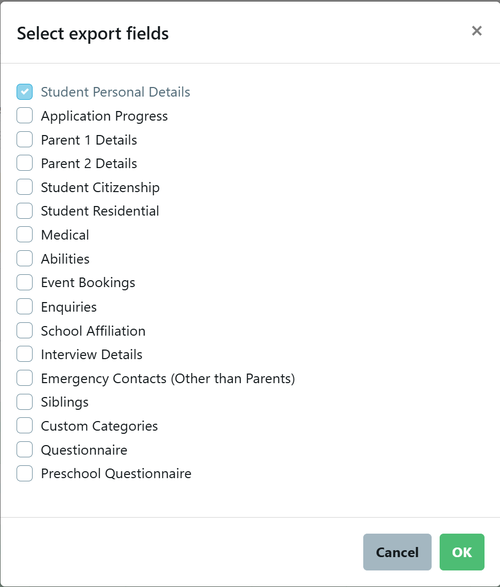
Student Personal Details is selected by default, but you may add as many of the listed options as needed.
To export CSV, select your desired profiles > Bulk Action > Export CSV